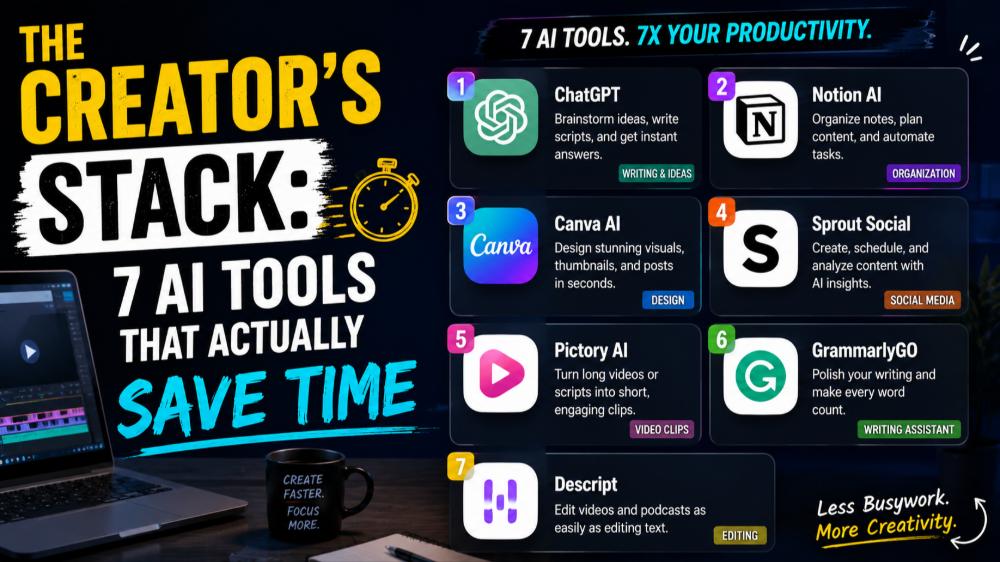
Why Most Creator Tools Miss the Mark
The average content creator juggles video editing, social media management, thumbnail design, script writing, and audience analytics. Most AI tools promise to "revolutionize your workflow" but end up adding another platform to learn instead of actually saving time.
The tools worth using solve specific, time-consuming problems without requiring a PhD to operate. Here are seven AI creator tools that genuinely deliver on their promises, organized by the actual bottlenecks they solve.
Video Editing: Descript's Text-Based Approach
Descript flips video editing on its head by letting you edit video like a text document. Record your content, and Descript transcribes it automatically. Delete filler words like "um" and "uh" by clicking a button. Remove entire sentences by deleting text, and the video adjusts accordingly.
The real time-saver is the Overdub feature. Made a mistake? Type the correction, and Descript generates audio in your voice to patch it seamlessly. What used to require complete re-recordings now takes thirty seconds.
Best for: Podcasters, YouTube creators, and anyone who talks to camera.
Content Repurposing: Opus Clip for Short-Form Gold
You spent hours creating a long-form YouTube video or podcast. Opus Clip analyzes your content and automatically identifies the most engaging segments for short-form platforms.
It doesn't just clip randomly. The AI evaluates:
- Hook strength in the opening seconds
- Narrative completeness (does the clip tell a story?)
- Viral potential based on pacing and content
- Platform-specific formatting for TikTok, Reels, or Shorts
Each clip includes auto-generated captions with customizable styling. A single hour-long video can yield 10-15 platform-ready shorts in under ten minutes.
Best for: Creators who produce long-form content and need a short-form presence.
Thumbnail Design: Thumbly's Data-Driven Templates
Thumbnails determine whether your content gets clicked. Thumbly combines AI generation with actual clickthrough data to suggest thumbnail compositions that perform.
Unlike generic design tools, Thumbly analyzes top-performing thumbnails in your niche and suggests elements that correlate with higher CTR: text placement, color contrast, facial expressions, and visual hierarchy.
You input your topic, upload a few frame grabs, and receive multiple variations. The AI can remove backgrounds, enhance facial expressions, and add text overlays that remain readable on mobile screens.
Best for: YouTube creators tired of A/B testing thumbnails manually.
Script Writing: Jasper's Custom Brand Voice
Most AI writing tools produce generic slop that sounds like everyone else. Jasper stands out because it learns your specific writing style through its Brand Voice feature.
Feed it 3-5 samples of your best work. Jasper analyzes tone, sentence structure, vocabulary choices, and formatting preferences. When generating new scripts or outlines, it maintains consistency with your established voice instead of defaulting to corporate blog-speak.
The Boss Mode feature particularly shines for creating video scripts with proper pacing cues, hook suggestions, and structural templates for different content types.
Best for: Creators with established voices who need help with ideation and first drafts.
Audio Enhancement: Adobe Podcast AI (Free)
Adobe's free Podcast AI tool solves the most common audio problem: making any recording sound professionally treated, regardless of your recording environment.
Upload your audio file. The AI removes background noise, normalizes volume levels, eliminates echo, and applies professional-grade processing that typically requires expensive plugins and acoustic treatment. The processed file sounds like it came from a treated studio booth.
The difference is dramatic for creators recording in apartments, home offices, or anywhere without soundproofing.
Best for: Every creator who records voice content.
Social Media Management: Lately's Auto-Posting with Context
Lately doesn't just schedule posts. It learns which content performs best for your specific audience, then auto-generates social media posts from your long-form content while maintaining those high-performing elements.
Point Lately at your blog post, video, or podcast. It extracts key quotes, statistics, and insights, then reformats them for each platform with appropriate hashtags, mentions, and CTAs. The AI learns from your engagement metrics and adjusts future suggestions accordingly.
Best for: Creators who publish consistently but struggle with social media promotion.
Analytics Translation: Fanfuel's Actionable Insights
Most analytics platforms bury you in data without explaining what to do with it. Fanfuel connects to your YouTube, TikTok, or Instagram account and translates metrics into specific actions.
Instead of "your average view duration is 42%," Fanfuel tells you "viewers drop off during your intro; consider cutting it to under 8 seconds" with timestamp references to specific videos.
It identifies your highest-performing topics, optimal posting times based on your actual audience behavior, and content gaps where demand exceeds your current output.
Best for: Data-averse creators who know they should check analytics but don't know what to look for.
Building Your Efficient Creator Stack
The goal isn't to use every tool available. Choose 2-3 that address your biggest time drains. A video creator might combine Descript for editing, Opus Clip for repurposing, and Adobe Podcast AI for audio. A writer might use Jasper for drafting and Lately for promotion.
Start with your most painful bottleneck. Implement one tool completely before adding another. The best creator stack is the one you'll actually use consistently.
These tools represent a starting point for building a sustainable creator workflow that prioritizes creative work over tedious production tasks. See the full AI tools catalog on Nohaya for more detailed comparisons and emerging platforms worth watching.